

Recording is the part of a camera system people only notice when they need footage. NVR, cloud storage and camera-local recording each change ownership, access, cost and support.
Storage choice changes the install
Storage is not a checkbox; it decides what can be reviewed later, how cameras are wired, where recordings live and who can export them.
Service map: Recording sequence: camera count, network path, storage location, remote access, retention need and privacy control.
Start with the event record the property actually needs. A front gate, package area, side yard, retail counter and equipment closet create different demands for continuous video, motion clips, remote playback, export speed and privacy. Storage follows that record, then wiring and network work follow storage.
Privacy and scope note: Camera storage work touches sensitive property information. Public documentation avoids camera views, faces, license plates, addresses, account emails, passwords, serial numbers, alarm details and exact coverage maps. Legal retention rules and regulated security requirements belong with the property owner and the appropriate compliance professional.
The three practical recording paths
NVR, cloud and local device storage solve different problems. The right answer might be one path or a hybrid, but the choice has to be made with camera count, internet service, owner access, power backup and evidence retrieval in view.
In plain terms, an NVR or local recorder keeps the main record on property, commonly through Ethernet or PoE. Cloud recording sends clips or streams to a provider account for app playback. Camera-local microSD storage fits narrow fallback cases, but it rarely gives a serviceable multi-camera record. Hybrid layouts combine local recording for the primary footage with cloud alerts, clips or remote review for daily convenience.
Field photos for camera and recorder planning
Decision shortcut: local recorder or cloud storage
The best storage choice depends on network reliability, review habits and privacy expectations.
-
Internet is unstable but cameras must keep recording.
Prefer local recording with a serviceable recorder location.
Cloud-only storage can be limited when upload or subscription access fails.
-
Remote clip review matters more than long local archives.
Cloud or hybrid storage may be easier to manage.
The user experience depends on phone access, alerts, subscription limits and camera app behavior.
-
The property has several cameras and a network closet.
Plan storage, switch power and cable labels together.
Camera reliability is often decided by PoE budget, cable condition and recorder access, not only storage capacity.
In NVR, Cloud Storage and Local Recording: Practical Choices for Small Properties, this visual section is supporting evidence, not a private workorder claim. Use the field photos for camera and recorder planning to compare visible hardware, access, cable path, screen privacy and closeout context before deciding what belongs in the next onsite step.


NVR and local recording keep the main record on site
A local recorder gives the property a physical place where video lands. PoE cameras, a switch, a recorder, hard drives and a cabinet become part of the same system. That creates service work that an app-only camera hides: port count, drive health, airflow, UPS power, labels, cable route, monitor access and export method.
Local recording is strongest when several cameras run all day or when the owner wants footage to remain available during an internet outage. The internet may still support remote viewing, alerts and firmware, but the recorder does not depend on uploading every clip before the record exists.
Local recorder details to confirm
- Camera count, resolution, frame rate and whether recording is continuous, scheduled or motion based.
- PoE switch capacity, uplink path, cabinet space, heat, ventilation and service access.
- Hard-drive capacity, expected retention range, overwrite behavior and alert state for a failed or full drive.
- Playback path: local monitor, browser, mobile app, exported clip, USB drive or owner-managed portal.
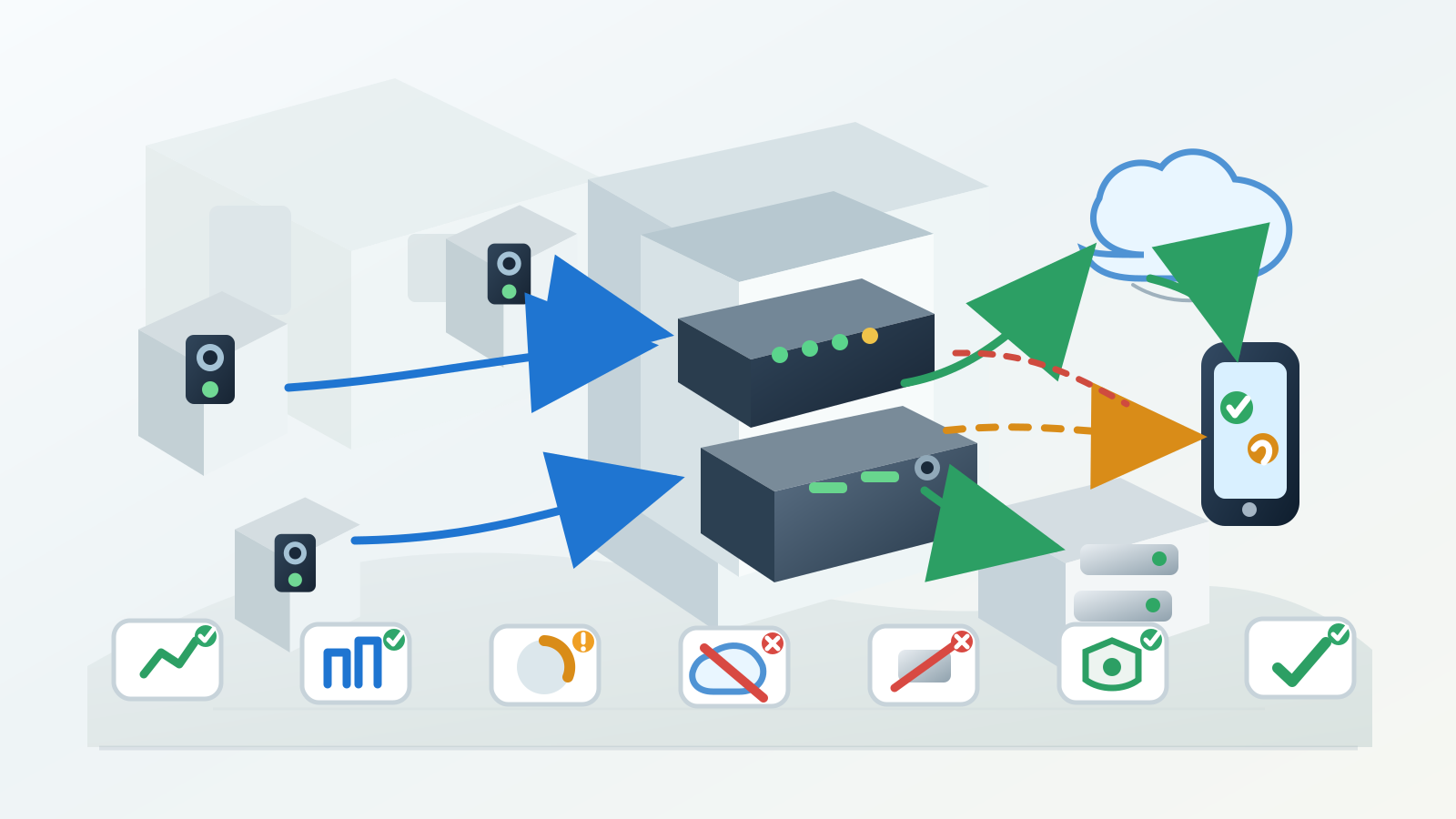
Cloud storage trades hardware for upload and account dependence
Cloud cameras reduce onsite recorder hardware, which helps in apartments, small offices and simple exterior views. The tradeoff moves into upload speed, provider plan limits, account ownership, clip length, notification timing, subscription status and internet outages.
Upload bandwidth becomes the quiet constraint. A few motion clips may run smoothly, while several cameras uploading frequent high-resolution events can crowd video calls, POS traffic, remote work, streaming or backup internet. Cloud storage planning has to include the rest of the property network, not only the camera app.
Cloud storage checks
- Number of cameras uploading clips or streams at the same time.
- Internet upload speed during normal business or household use, not only a single speed test near the router.
- Plan rules for clip length, retention days, event history, export access and shared users.
- Behavior when internet drops: local fallback, missed clips, delayed upload or no recording until service returns.
Hybrid layouts reduce single-point failures
Hybrid recording gives important cameras a local record while keeping cloud clips or app alerts for everyday review. A driveway camera may record continuously to an NVR, while door or package events also appear in a mobile app. The owner gets fast access without making the cloud account the only copy.
A hybrid plan still requires boundaries. If the NVR fails, cloud clips may not cover every moment. If the internet fails, local recording may continue while remote viewing stops. Closeout notes name which path survived each failure instead of presenting the whole system as one vague camera service.
Failure planning has four concrete questions. Which cameras keep recording when internet service drops? Which cameras keep recording if the recorder or drive has a fault? Which alerts depend on the cloud account, push settings or subscription? Where does the owner export footage during a real incident: recorder, phone app, web portal or both?
Retention is a math problem with real inputs
Retention cannot be promised from the camera brand alone. Days of storage come from camera count, resolution, bitrate, frame rate, motion level, compression, recording schedule and drive or plan capacity. Two properties with the same recorder may keep very different amounts of footage.
A practical field estimate starts with conservative assumptions, then gets verified in the actual recorder or cloud dashboard after cameras run. The important closeout detail is not a perfect universal number; it is the current overwrite setting, drive health, alert state and owner expectation for how far back playback reaches.
Retention inputs to write down
- Camera count and which cameras record continuously versus motion events.
- Resolution, frame rate, night activity and high-motion zones such as gates, streets or counters.
- Drive size or cloud plan tier, plus overwrite, archive and export behavior.
- Owner expectation: short event review, several days of continuous footage or longer incident history.
Ports and cable order affect reliability
Recording hardware looks simple from the front and messy from the rear. Power, Ethernet, coax on older systems, HDMI, USB export, audio/AV ports, uplink cables and drive access all compete for space. A recorder crammed behind other gear invites loose connections and poor troubleshooting later.
Cable order matters most when something fails. Labeled camera ports, a known uplink, reachable power, visible status lights and a clear export path let the next service visit separate camera loss, switch trouble, drive fault and display issue without disturbing every cable.

Outage behavior has to be tested, not assumed
Power and internet failures expose the real storage design. A cloud-only camera may lose recording during an outage unless it has a local fallback. A local recorder may keep footage while remote viewing and alerts stop. A PoE switch without backup power may drop every camera even though the recorder still works.
The useful test is controlled and narrow. Confirm camera live view, recorder playback, remote app access and event alerts in normal service; then document what remains true if internet access is removed or if backup power is not part of the scope. The exception note protects both the owner and the next technician.
Outage proof to capture privately
- Recorder sees all expected cameras during normal operation.
- Playback works for recent footage on the local recorder or cloud account.
- Remote access and notifications work from the owner phone when internet service is healthy.
- Known outage limitation: no UPS, no local fallback, weak upload, cloud-only clips or recorder not reachable remotely.
Privacy and ownership belong in the storage plan
Storage location decides who can reach footage. A local recorder still has admin users, passwords, export paths and physical access risk. A cloud account adds provider terms, subscription status, shared users, recovery email, mobile permissions and possible staff turnover.
Keep account control with the owner. Service work can guide setup, verify playback and leave private notes without collecting passwords or publishing screenshots. For rentals, small businesses and shared properties, name the roles that have access and remove temporary installers or departed staff after closeout.
Private access notes identify the owner account, admin role, recovery method, shared users, staff phones and export path without exposing passwords or customer footage. They also name unresolved access problems such as an unknown admin, locked account, missing subscription, unsupported app or vendor handoff.
Booking photos prevent storage guesswork
Useful booking photos show the camera locations, router or network cabinet, existing recorder, visible ports, power area and the internet handoff. Wide context matters: a close photo of a camera does not reveal cabinet heat, PoE capacity, cable labels or the distance between cameras and the network core.
Share photos with private details removed. Blur account screens, serial stickers, Wi-Fi passwords, camera views, faces, license plates, alarm panels and address labels. The goal is enough technical context for the visit, not a public record of the property security layout.

Photos and facts to send ahead
- Camera count, desired views and whether recording has to be continuous or event based.
- Existing recorder, router, switch, cabinet and power area from a safe distance.
- Current problem: missing clips, no remote access, short retention, drive alert, weak upload or camera offline.
- Internet provider, upload speed if known and any devices that cannot lose connectivity during testing.
Closeout proves storage, not only camera view
A finished storage job is proven by retrieval. The camera view, recorder or cloud timeline, owner playback, export path, retention expectation, alert state and documented exceptions all have to line up before the work is considered complete.
Strong closeout language is specific. It names which cameras record, where footage lands, how far back the current setting reaches, what the owner tested, what remains unresolved and which private details stayed out of public documentation.
Closeout checks for camera storage
- All expected cameras appear in the recorder, app or cloud portal.
- Recent playback works from the owner-approved device or local interface.
- Retention, overwrite and drive or plan status are visible to the owner.
- Export or sharing path is tested without publishing private footage.
- Exceptions are documented: weak upload, no UPS, locked account, failed drive, missing cable label or future vendor work.
A practical default for small properties
For many small properties, the strongest setup is boring: local recording for the cameras that matter most, cloud or app access for daily review, a labeled network path, enough drive or plan capacity for the expected retention window, and an owner-controlled account.
That default still changes by site. A rental with one door camera, a shop with four PoE cameras, a driveway gate with weak upload and a guest house with its own network cabinet each deserve a different storage answer. The right choice is the one that keeps the needed footage reachable when the owner actually needs it.
Before booking: Before booking, send the camera location, desired view, power or PoE path and recording equipment without sharing private live camera views.
Recording choice checklist
| Question | Check first | Useful proof | Decision cue |
|---|---|---|---|
| Need local retention | Camera count, drive capacity and NVR location | Photo of proposed NVR or cabinet area | Choose local recording when internet outages cannot stop capture |
| Need remote viewing first | Cloud plan, account ownership and upload bandwidth | Upload baseline and app-owner note | Choose cloud when access matters more than local hardware control |
| Mixed camera brands | Compatibility with NVR, app and ONVIF or vendor ecosystem | Model list without serials | Avoid mixed systems when support ownership becomes unclear |
| Privacy sensitivity | Who can view footage, how long it stays and what areas are excluded | Privacy-zone note | Escalate when recording would capture private or restricted areas |
The right storage choice follows retention, access and privacy needs, not the camera box label.
Helpful companion guides
Trusted camera-security reference
Use this reference when the recording decision also touches privacy, account access and connected-camera security.
Recording choice FAQ
Short answers for choosing local NVR, cloud recording or a mixed setup.
Is cloud recording always easier?
Cloud recording is often easier to access, but it may depend on subscription, internet upload, account ownership and retention limits.
When does local NVR make sense?
Local NVR makes sense when the property needs local retention, PoE cameras, predictable recording and less dependence on cloud subscriptions.
What should be documented?
Document camera names, recording mode, retention expectation, admin owner, network path and one playback test.
Share this article:
Facebook X LinkedIn Email Text Add comment
Need help with a similar setup?
Send photos of the wall, network equipment, device labels you can share safely, and the result you want. The service team can usually narrow the right next step before an onsite visit.
Plan a cleaner service visit
Send a wide photo, one close device photo, the cable path and the result you want. Leave out account screens, addresses and private labels unless they are safely covered.
Request a callFeatured service

Field Service Blog Guide: TV, Wi-Fi, POS, Security and Onsite Support
Use this guide as a dispatch map for the real problem in front of you: screen, cable, Wi-Fi, POS lane, rack, camera, phone or onsite support visit.
View servicesRelated articles
Comments
Reader notes and service questions
No approved comments yet.
Leave a comment