

A fireplace mount starts with restraint. The screen may belong above the mantel, but only after the wall can handle the heat, the bracket can land safely and the room still feels comfortable from the normal seat.
A fireplace mount has to earn its spot
The fireplace already tells the room where to look, which is why this install tempts people into rushing the layout. Slow it down. A good plan checks the warm wall, the viewing angle, the stud or masonry structure and the cable path before anyone treats the mantel like an ordinary media console.
Field sequence: Run the fireplace, feel the wall zone, confirm clearance guidance, mark the bracket height, then plan power and signal routes that remain serviceable later.
When one of those checks fails, the cleanest answer becomes a different wall, a pull-down mount, a lower media cabinet, a visible raceway or a separate electrical visit. The expensive mistake is making the TV centered first and useful second.
Boundary: This is planning guidance. Fireplace manuals, TV clearance limits and local electrical rules still control the final install, especially where line-voltage work or masonry drilling is involved.
Heat comes first, because heat can ruin a good-looking install
The first question is not "will the TV fit?" It is "what happens to this wall when the fireplace runs?" Gas, electric and wood-burning fireplaces behave differently. Mantel depth, blower direction, stone or tile thickness, room airflow and how long the fireplace is used can all change the temperature at the TV location. A wall that feels fine in summer can become a bad TV location in winter when the fireplace is actually on.
The technician checks the fireplace manual and the TV temperature limits before treating the wall as normal drywall. The TV has an operating temperature range. The fireplace has clearance guidance. The mantel may deflect some heat, but a shallow mantel may do very little. A thick stone surround may look strong while hiding a chase, air gap, furring strips or uneven surface behind it. The clean decision is to measure, read the manuals and assume nothing.
Heat checks before choosing the mount location
- Run or review the fireplace in the way the customer normally uses it, then evaluate the wall area above the mantel.
- Check the TV manufacturer guidance and fireplace clearance guidance instead of relying on appearance.
- Look at mantel depth and heat direction. A mantel can help, but it is not magic shielding.
- Avoid blocking vents, louvers, service panels or required access around the fireplace.
- If the area runs too hot, move the TV or change the plan before buying a bracket.


Viewing height is the second test
Fireplace mounts fail when the TV sits above the room's comfortable sightline. The screen may look balanced in a real-estate photo, but everyday viewing is different. If the viewer has to tilt their head back for a two-hour movie, the install will feel wrong even if the level is perfect. The higher the mantel, the more important the mount choice becomes.
A tilting mount reduces glare and improves the viewing angle, but it does not turn a very high screen into an eye-level screen. A pull-down fireplace mount can bring the TV closer to eye level, but it needs clearance, weight capacity, handle access and enough room above the mantel to move safely. An articulating arm may help with seating angles, but it also adds extension load to the wall. The room decides the bracket, not the other way around.
Viewing comfort questions
- Where are people sitting most often, and how far are they from the screen?
- Will the center of the screen sit much higher than normal eye level from the couch?
- Does the mount need tilt, extension, swivel or pull-down movement?
- Will the mantel, shelf decor or fireplace trim block the bottom of the TV or soundbar?
- Can ports, HDMI cables and streaming devices still be reached after the TV is mounted?
Wall material decides the drilling plan
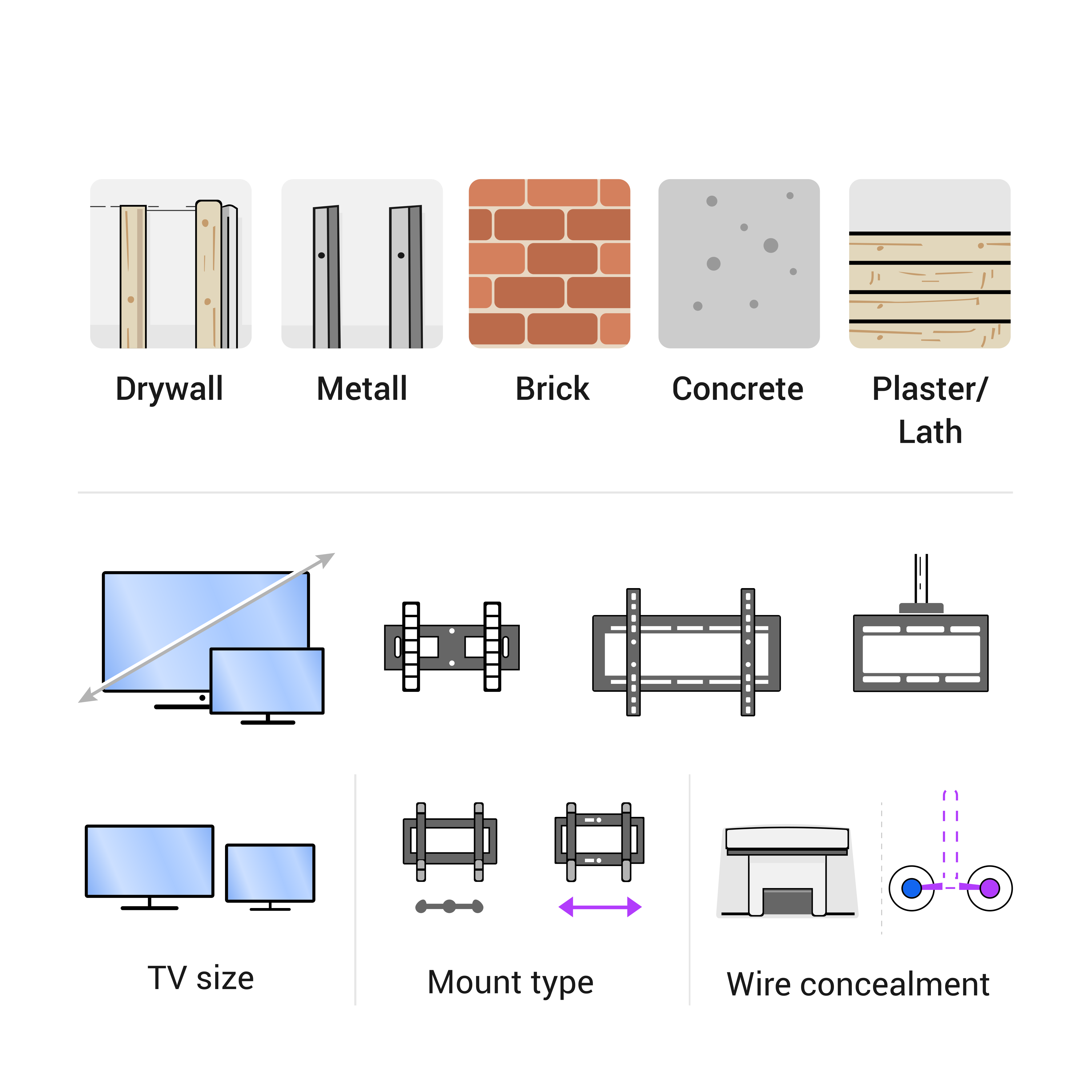
A fireplace wall hides anything from drywall over studs to brick, tile, stone veneer, concrete, a framed chase, a decorative surround or a mix of materials. Each surface changes the tools, anchors and risk. Drywall still needs structure behind it. Brick and masonry need the correct bit and anchors. Tile and stone can crack if the hole is rushed or placed badly. Veneer can look solid while not being the structural layer that should hold the bracket.
This is where the difference between "wall looks strong" and "mount has a verified load path" matters. A large TV creates extension load. A pull-down or articulating mount creates even more extension load because the weight moves away from the wall. If the structure is unknown, the right move is inspection, not bravery. That may mean stud finding, small exploratory checks, reviewing the fireplace build, or choosing a different mount location.
Wall-material risks to catch early
- Drywall without studs or backing at the bracket holes.
- Tile or stone veneer that can crack or hide an uneven substrate.
- Brick or masonry that needs the correct anchor type and depth.
- A fireplace chase or surround where drilling could hit a protected space or service area.
- A mount arm whose extension load exceeds what the wall condition can responsibly support.
Cable planning is where clean-looking installs often get messy
A fireplace TV makes cable routing harder than a plain living-room wall. The screen is high, the media console may not sit directly below it, the wall cavity may be interrupted by framing or fireplace construction, and power may be in the wrong place. If the plan is only "hide the wires," it is incomplete. A good plan separates low-voltage signal cables from power and decides how each one will be legal, serviceable and clean.
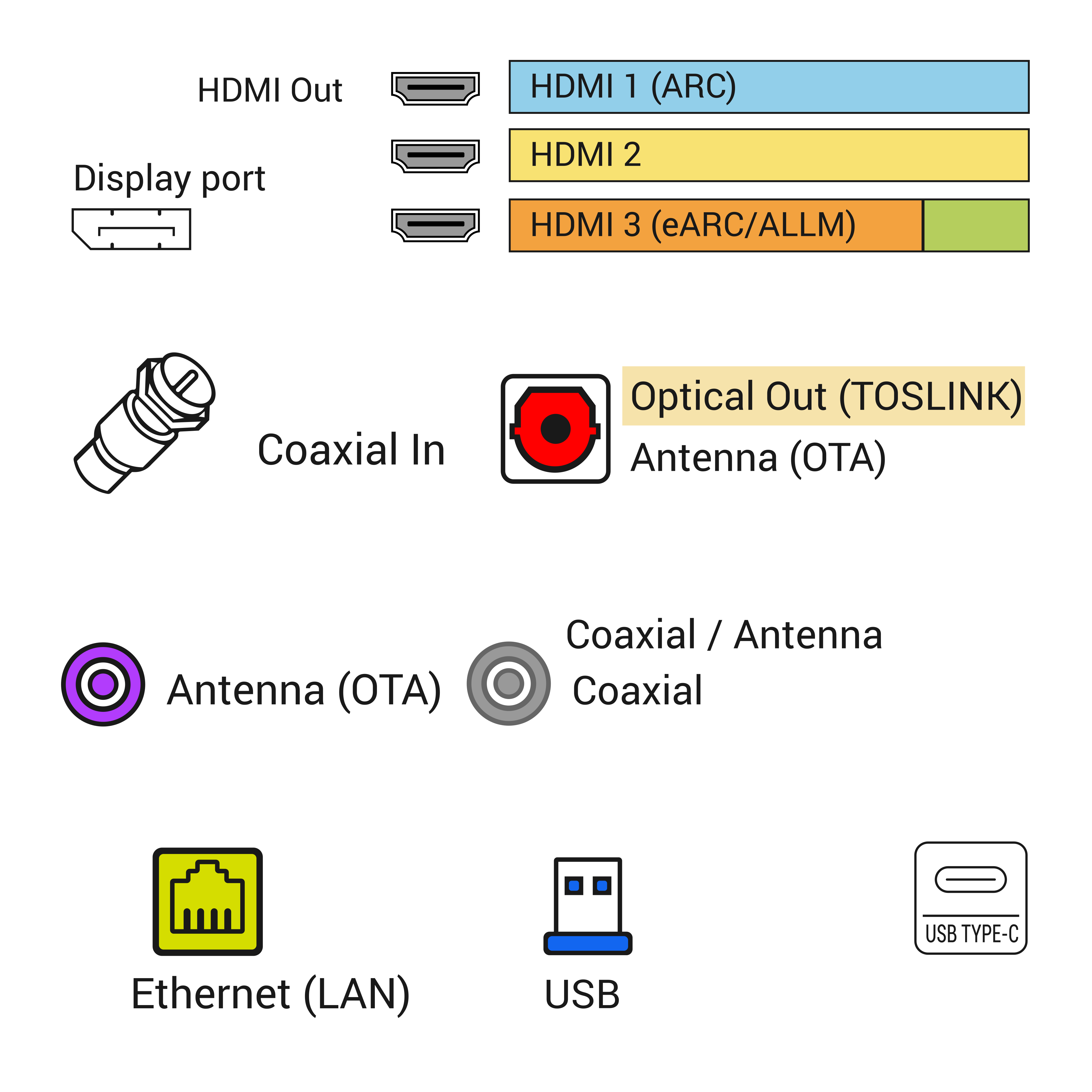
HDMI, Ethernet, coax, optical audio and control cables are low-voltage paths. They still need the right cable type, route, slack and wall plates. The TV power cord is different. A normal removable power cord should not be dropped loose inside a wall cavity. If power needs to move behind the screen, the safer answer is a proper outlet relocation, an approved in-wall power kit where appropriate, or electrician-managed work. That line should be clear in the article and in the job plan.

Soundbars, streaming devices and ports need their own plan
A fireplace TV leaves less furniture directly below it for boxes, remotes and cable slack. That can make soundbar placement awkward. If the soundbar sits on the mantel, heat and vibration may be a concern. If it mounts below the TV, the mount spacing and cable path have to support it. If the soundbar uses HDMI ARC or eARC, the HDMI cable path matters. If a streaming device hides behind the TV, Wi-Fi reception, remote control, USB power and heat all matter.
This is why finished photos are not enough. A clean install should still allow the customer to change an HDMI cable, reset a streaming device, reach the TV inputs, reboot a soundbar or move a game console without dismantling the whole room. The best fireplace TV installs look simple because the service details were considered early.
When not to mount the TV over the fireplace
Sometimes the best professional recommendation is not to mount the TV there. That is not a failure; it is the point of planning. If the heat is questionable, the screen would sit too high, the wall structure cannot be verified, the stone or tile risk is too high, the fireplace needs service access, or the cable/power route would require unsafe shortcuts, the fireplace location is a bad trade.
There are still good alternatives. A side wall can keep the TV lower. A media wall can provide cleaner power and cable access. A raceway can avoid opening a risky wall. A pull-down mount may solve height if heat and structure are acceptable. A smaller TV may fit the room better. The right answer is the one that makes daily use easier, not the one that only looks dramatic on day one.
Red flags that should stop or change the plan
- The wall area above the fireplace gets too warm during normal use.
- The only comfortable TV position would be far above seated eye level.
- The surround is tile, stone or veneer with unknown backing and no clear anchor plan.
- The power solution would require hiding a normal TV cord in the wall.
- The finished TV would block vents, access panels, mantel use or fireplace service.
- The bracket needs extension or pull-down movement but the wall structure is not verified.
What to photograph before asking for an estimate
Strong pre-visit photos shorten the first conversation. Send one wide photo of the fireplace wall, including the mantel, floor, ceiling and nearby furniture. Send a closer photo of the wall surface: drywall, brick, tile, stone or trim. Send a photo of existing outlets and any cable plates. If the TV and mount are already purchased, send the TV size, mount model and the back of the TV where ports are located. If privacy is a concern, send model labels privately and keep public photos clean.
Measurements help too. Mantel height, mantel depth, fireplace opening height, ceiling height, desired TV size, seating distance and outlet location all shape the recommendation. A technician can usually give a better answer from three honest photos and a few measurements than from a single close-up of a fireplace.
What the closeout proves
A finished fireplace TV mount proves several things at once: the screen is level, the bracket is secure, the TV turns on, the input path works, the soundbar or streaming device works if included, the cable path is clean, the power solution is legitimate, and the customer understands any limitations. If the fireplace should not run at a certain setting with the TV, that limitation should not be hidden in casual conversation. It should be clear.
The best closeout photo shows the finished room, not just the screen. The proof that helps later is the relationship between the fireplace, mantel, TV, cable path, furniture and viewing position. If the job involved unusual wall material, pull-down hardware or a new cable route, take supporting photos before everything is covered. A good closeout helps the customer and protects the next technician from guessing later.
Before booking: Before booking, send a wide wall photo, a closer outlet or console photo, TV size, mount status and whether cable concealment is part of the job.
Separate the fireplace risk from the TV wish list
A fireplace booking starts with heat and height, then moves to bracket, wall and cable route. The screen size comes after those checks.
Fireplace TV decision table - technician cheat sheet
- If the fireplace area shows: Warm wall or shallow mantel - Check next: TV temperature limit and mantel clearance - Safer next step: Test heat first and consider a different wall
- If the fireplace area shows: High mantel sightline - Check next: Seated eye line and neck angle - Safer next step: Mark the screen center with tape before buying the mount
- If the fireplace area shows: Stone, brick or tile surround - Check next: Drill method, anchor plan and dust control - Safer next step: Confirm surface before scheduling a fast install
- Closeout note: This table keeps the conversation on heat, sightline and surface, not only on the size of the TV.
Photos that help this decision
- Straight-on fireplace wall photo with mantel and ceiling visible.
- Side photo showing mantel depth and surrounding material.
- Outlet, cable plate and media cabinet location.
- TV and fireplace model numbers when available.
- No family photos, address labels or account screens in public examples.
The concrete checks are visible in the room: mantel depth, warm wall zone, stone or tile surface, outlet position, bracket model, cable plate, media cabinet and seated sightline.
Field check: The technician records mantel depth, warm wall zone, bracket model, mount fasteners, outlet position, cable plate, HDMI or eARC path, media cabinet, soundbar location and final power/input test. Those room-level details keep the fireplace plan grounded in observable equipment rather than a generic design preference.
Where this job connects next

Share this article:
Facebook X LinkedIn Email Text Add comment
Need help with a similar setup?
Send photos of the wall, network equipment, device labels you can share safely, and the result you want. The service team can usually narrow the right next step before an onsite visit.
Plan a cleaner service visit
Send a wide photo, one close device photo, the cable path and the result you want. Leave out account screens, addresses and private labels unless they are safely covered.
Request a callFeatured service

Field Service Blog Guide: TV, Wi-Fi, POS, Security and Onsite Support
Use this guide as a dispatch map for the real problem in front of you: screen, cable, Wi-Fi, POS lane, rack, camera, phone or onsite support visit.
View servicesRelated articles
Comments
Reader notes and service questions
No approved comments yet.
Leave a comment