

A big TV is a load path with glass attached. The wall, bracket, fasteners and lift plan have to work together before anyone tries to muscle the screen onto the hooks.
Big screens leave less room for casual decisions
A 75-inch or 85-inch TV turns a small assumption into a cracked panel, crooked bracket or blocked port. The safe part of the job happens before the lift: read the wall, confirm the mount, stage helpers and know where the cables will land.
Large-screen pass: Weight, wall structure, mount rating, fasteners, helper path, port reach, cable slack and final alignment all get checked before the lift.
The common failures are predictable. Studs are not where the bracket wants them. A full-motion arm adds extension load nobody planned for. A recessed HDMI port needs a right-angle adapter. A thin wall plate looks clean until the cable is crushed.
Safety boundary: This guide explains planning and service logic for large TV mounting. Always follow the TV and mount manuals, use hardware appropriate for the wall type, and use qualified help when the wall, size, power or lift conditions exceed a simple install.
A screen-size range on the box is not enough
Mount packaging lists a size range, but the wall only cares about load, extension load and attachment. TV weight, VESA pattern, bracket style and wall material matter more than the diagonal measurement printed in large type.
Large screens also make centering harder. The bracket must hit structure, clear outlets, leave port access and still place the screen where the room expects it. A little planning keeps the final photo from hiding a support problem.
Mount checks before opening the hardware bag
- Confirm TV weight, screen size and VESA pattern against the exact mount manual.
- Check whether the mount is fixed, tilt or full motion, because extension load changes the wall load.
- Confirm the bracket can center the TV while still landing on structure.
- Check spacer needs, port clearance and the direction cables exit the TV.
- Make sure the mount includes the right hardware for the wall type or plan proper replacements.


Mistake 2: treating anchors and studs as the same thing
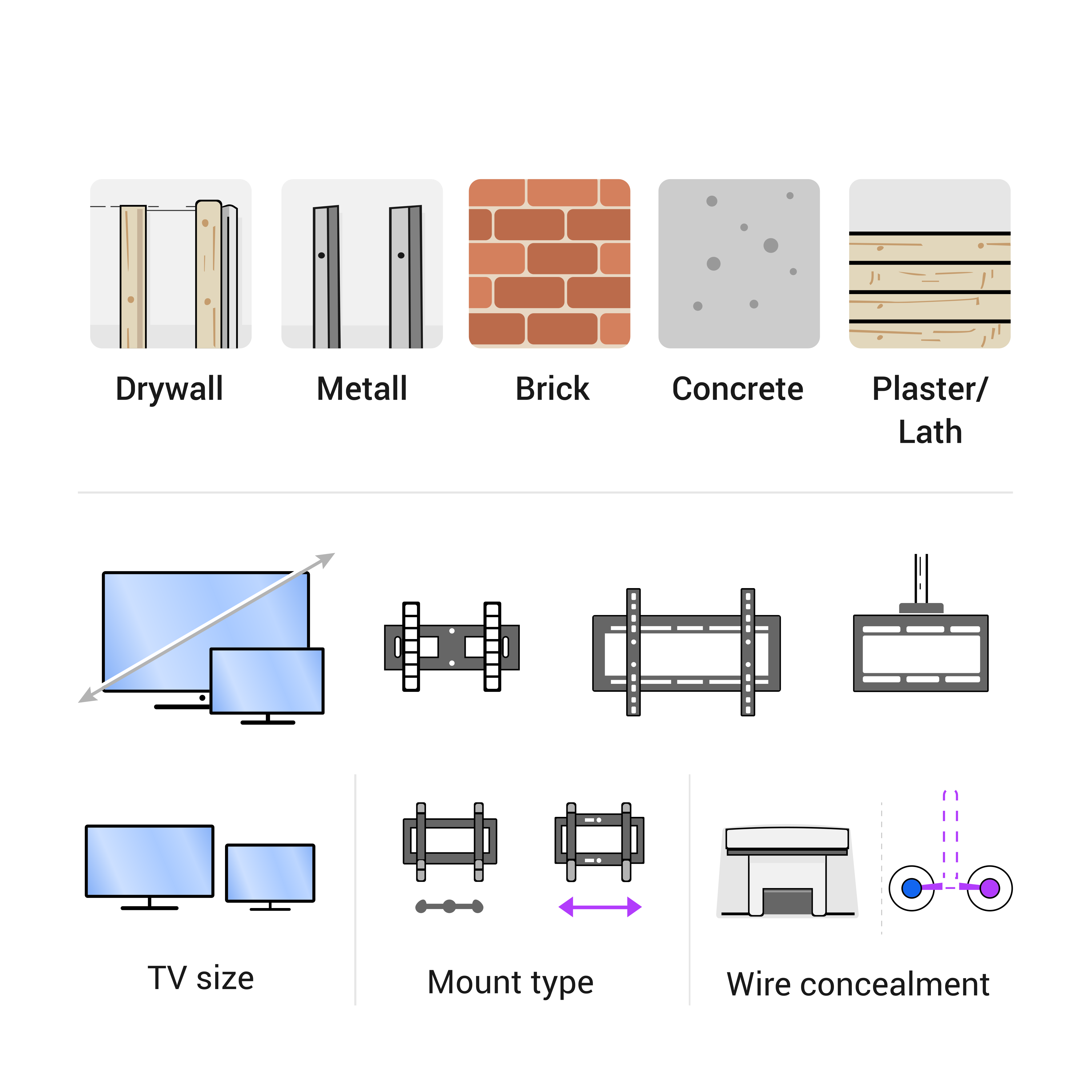
A large screen depends on a verified load path. Studs, blocking, masonry and properly selected anchors are not interchangeable words. Drywall is a surface, not a structure for a large TV by itself. Some anchors are useful in the right context; some are not appropriate for the load or movement. The mistake is not using an anchor. The mistake is using the wrong support because the wall was never read correctly.
Stud finding gets extra care. A stud finder can be fooled by metal, pipes, thick plaster, tile, uneven surfaces or old construction. The installer should verify the path before drilling bracket holes. On masonry or brick, the question changes to anchor type, hole depth, substrate condition and whether the surface can accept the load without cracking or pulling out.
Mistake 3: ignoring full-motion extension load
Full-motion mounts solve viewing angles by letting the TV pull out, swivel and angle toward different seats. They also create more force on the wall than a flat mount because the TV weight moves away from the wall. With a large TV, that extra extension load can become the main install risk. A wall that could handle a fixed mount may not be the right wall for a long articulating arm.
This does not mean full-motion mounts are bad. It means the mount, fasteners and wall structure have to be chosen for the way the TV will actually be used. If the customer wants the TV pulled out often, treat that extended position as normal, not as an occasional exception. The install should be stable when the arm is used, not only when the TV is pushed flat.
Mistake 4: lifting before cables and ports are ready
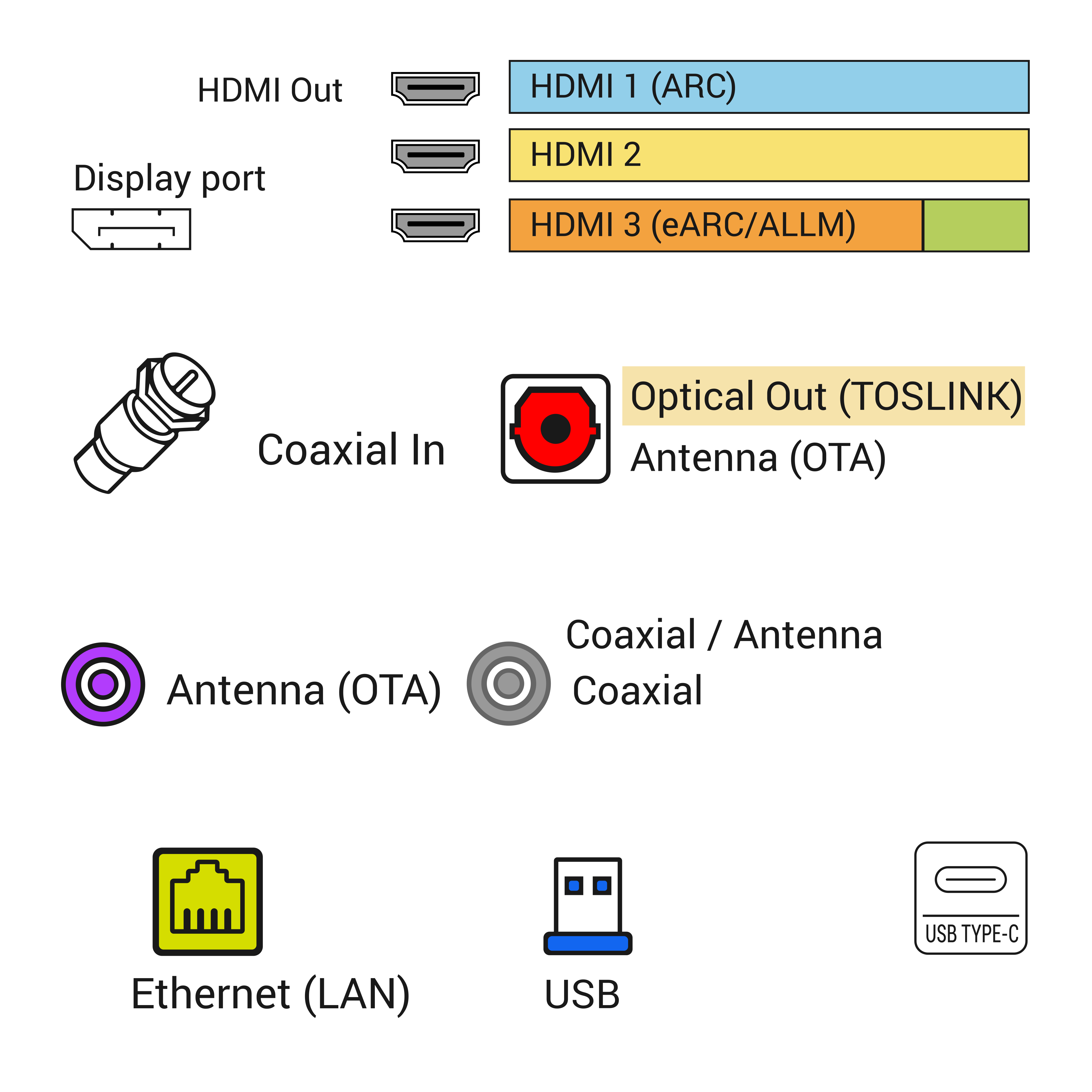
A large TV is awkward to hold while someone searches for a missing cable. HDMI, Ethernet, optical audio, coax, USB power, soundbar connection and streaming-device placement should be decided before the lift. If a cable must be fished behind the wall, that work should be planned first. If the customer needs HDMI ARC or eARC for a soundbar, the correct port should be identified before the TV is on the bracket.
Cable length also changes with mount type. A fixed mount needs service slack. A tilt mount needs enough movement to tilt without pulling. A full-motion mount needs enough slack for the arm path without hanging below the screen. Power remains a separate issue from low-voltage signal cables. A normal removable TV power cord should not be hidden loose inside the wall.
Mistake 5: underestimating the route from box to wall
Screen handling is part of the install. A large TV needs a clear path from box to wall, a soft place to rest the screen, clean hands or gloves when appropriate, helpers who know where to hold, and enough room to rotate the TV without hitting furniture. The panel surface is not a handle. The corners and thin edges are vulnerable. The safest lift is the one planned before the screen leaves the packaging.
The team names the lifter, the cable guide, the bracket watcher and the safe landing spot before the screen leaves the floor. If the mount height is high, or if the TV is very wide, the lift may require more than two hands. Rushing the final hook-in is how a good wall plan becomes a scratched screen or bent port.
Handling checks that prevent damage
- Clear the path from the box to the wall before lifting.
- Keep the screen protected and avoid pressure on the panel surface.
- Have helpers positioned before the TV leaves the packaging.
- Confirm bracket hooks, locking screws and safety tabs before letting go.
- Do not discover cable or spacer problems while holding the TV in the air.
Mistake 6: skipping the final movement and level check
A large TV looks level from one side of the room and still sits slightly off from another. Final level should be checked after the TV is actually on the bracket, because weight can settle. If the mount tilts or moves, that movement should be tested. If a full-motion arm is installed, pull it out and return it. Watch for sag, cable pull, wall flex, soundbar collision or furniture interference.
Closeout also proves the screen turns on, the correct input works, audio works if included, apps or streaming devices are reachable, and the customer understands safe mount movement. A large TV is too much work to mount twice because a simple final test was skipped.
When to change the plan before mounting
The best time to change the plan is before holes are drilled. Choose a different mount if the bracket cannot hit structure. Choose a different wall if the wall cannot support the desired movement. Choose a different cable route if the planned route would create unsafe power handling. Choose a smaller screen or different placement if the TV overwhelms the wall or cannot be handled safely.
A professional-looking large TV install is not about forcing the biggest screen onto the wall. It is about matching the TV, mount, structure, cable path and room use so the finished result is secure and easy to live with.
What to send before booking a large TV mount
Send the TV size, TV model, mount model if purchased, wall photo, outlet photo, desired height and the path from the delivery box to the wall. If the wall is brick, tile, stone, fireplace surround, old plaster or commercial partition, send close photos of the surface. If there is a soundbar, game console, cable box or streaming device, include those details before the visit.
Good photos let the installer spot missing hardware, bad mount choice, cable reach issues or wall risks before arrival. That is the difference between a smooth install and a second trip.
Before booking: Before booking, send a wide wall photo, a closer outlet or console photo, TV size, mount status and whether cable concealment is part of the job.
Treat the lift like part of the installation
For Large TV Mounting Mistakes: Mount Rating, Wall Anchors, Studs and Screen Handling, the quick answer is to verify the physical constraint before treating the screen as a simple mounting job. This section names the decision point, then ties it back to wall support, cable reach, safe handling and a clean finish the customer can inspect.
A large TV creates risk before the bracket clicks. The lift path, helper positions, port reach and landing spot belong in the plan.
Large-screen risk table - technician cheat sheet
- Risk: Full-motion arm on a heavy screen - Check next: Extension load and stud engagement - Proof to send: Mount model, TV weight and wall photo
- Risk: Ports close to the wall - Check next: Right-angle adapters and cable slack - Proof to send: Photo of TV port panel before lifting
- Risk: Tight room or stair path - Check next: Two-person lift route and resting place - Proof to send: Photo of floor area and furniture clearance
- Closeout note: Large screens reward slow preparation. The repair bill starts where the lift plan was skipped.
Helpful companion guides
Share this article:
Facebook X LinkedIn Email Text Add comment
Need help with a similar setup?
Send photos of the wall, network equipment, device labels you can share safely, and the result you want. The service team can usually narrow the right next step before an onsite visit.
Plan a cleaner service visit
Send a wide photo, one close device photo, the cable path and the result you want. Leave out account screens, addresses and private labels unless they are safely covered.
Request a callFeatured service

Field Service Blog Guide: TV, Wi-Fi, POS, Security and Onsite Support
Use this guide as a dispatch map for the real problem in front of you: screen, cable, Wi-Fi, POS lane, rack, camera, phone or onsite support visit.
View servicesRelated articles
Comments
Reader notes and service questions
No approved comments yet.
Leave a comment